|
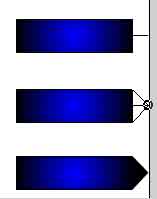 6.
Select the line tool and draw a line from the middle right edge of the
rectangle in frame 25 our to the edge of your stage. 6.
Select the line tool and draw a line from the middle right edge of the
rectangle in frame 25 our to the edge of your stage.
Select the arrow tool and grab the line right where it meets the
rectangle and drag it out to the end. This will create a point on the right
side.
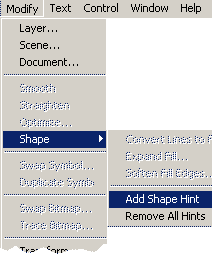
Check your movie. If the tween is not going where it needs to go, Add a shape hint between c and d on your frame 1, and at the outter
newest point of frame 25
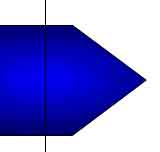
7. Draw a vertical line through your rectangle near the end.
8. Use your arrow tool to drag the top intersection down and right, and
the bottom intersection up and right. Remove your extra lines by clicking
them one at a time and hitting your backspace key.Apply a Similar technique
to the tail end of the developing arrow, making sure you remove the excess
lines.
  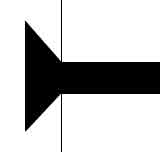
Check your movie. If the tween is not going where it needs to go, Add a shape hint between
a and c on your frame 1, and at the inside top
newest point of frame 25. Add a shape hint between b and d in frame 1, and
the lowest new point on frame 25.
|






 1.
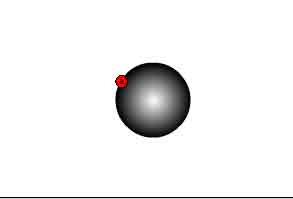
Select your oval tool with line color as black and fill color as white to
black radial gradient. Hold your shift key down and draw a circle that is
about 1/4 the height of your movie in the center of your stage.
1.
Select your oval tool with line color as black and fill color as white to
black radial gradient. Hold your shift key down and draw a circle that is
about 1/4 the height of your movie in the center of your stage.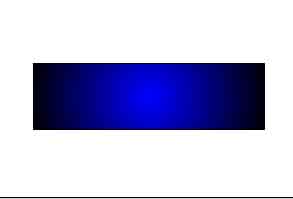 2.
Right click on frame 25 and insert a blank key frame. Select your
rectangular tool with line color black and fill the blue to black radial
gradient.
2.
Right click on frame 25 and insert a blank key frame. Select your
rectangular tool with line color black and fill the blue to black radial
gradient.

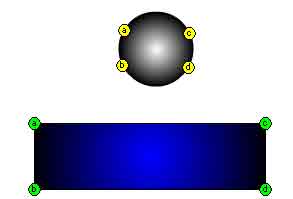 5.
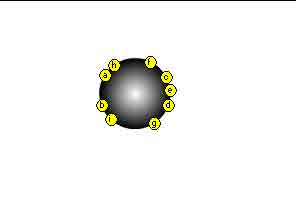
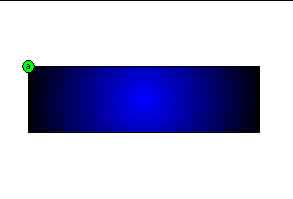
Add a new shape hint(b) to frame 1 and set in the 8 o'clock position. Move
the hit in frame 25 to the lower left corner. Add shape hint (c) to the 2
o'clock position in frame 1, then put the hint in the upper right hand
corner of hte rectangle in frame 25. Add shape hint (d) to the 4 o'clock
position and put the hint on frame 25 in the lower right corner of the
rectangle.
5.
Add a new shape hint(b) to frame 1 and set in the 8 o'clock position. Move
the hit in frame 25 to the lower left corner. Add shape hint (c) to the 2
o'clock position in frame 1, then put the hint in the upper right hand
corner of hte rectangle in frame 25. Add shape hint (d) to the 4 o'clock
position and put the hint on frame 25 in the lower right corner of the
rectangle.