
|
Reminder |
| Remember to book mark
this site! |
|

Making Backgrounds and Fills from Images
1. Please download the
background image from here and
save it to your hard drive.

2. Create a new movie in Flash.
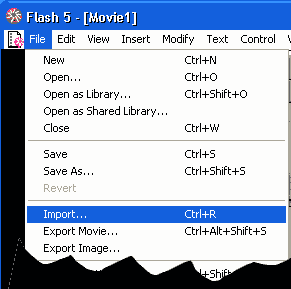
3. Click fiile => import and browse for your image, 9 jpg
on your hard drive and click ok.
|
 |
|
4. Your image will now be on your stage. Resize the
image to the exact pattern size you want.
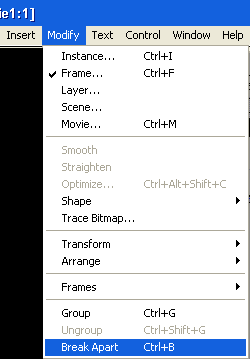
5. Highlight the image and Click
Modify =>Break Apart.
|
 |
|
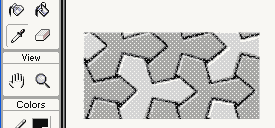
5. Click on the Dropper tool on the tool bar.
6. Use the dropper tool on your
currently selected broken apart image. This sets your fill color to
your image.
|
 |
|
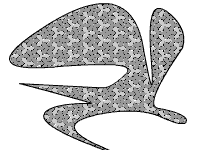
7. Draw a square with the rectangle tool. Draw a oval.
Stretch and move your lines around the image. This is totally
stretchable. Paint with this fill color.
8. Delete the original broken
apart image from your stage. You will need to leave the original BMP file in
the library.
ENJOY! |
|
"Building The Web Into a Nicer Place -- One Site At A Time"
Developing Webs Group Copyright © 2001-2026 All Rights Reserved
Privacy
and Legal
|
|
 |





