|
 |
||||||||||||
 |
 |
||||||||||||

|

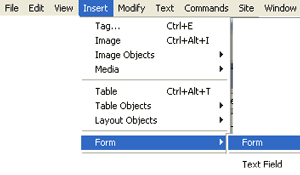
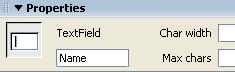
Simple Form ValidationForm validation allows you to check to make sure certain fields are filled in with appropriate information. Dreamweaver comes with some standard form validation scripts. We will make a form, then set up the validation. An additional tutorial is linksed at end to creating a submission process for your form in php. CREATING THE FORM 1. Open a file in yoru web or open a new html document and save it as contact.html. 2. Click where you want your form on your page. 3. Type in the word Name and hold shift key down and hit enter. This places a line break at the end of the line and drops you down to the next line, without paragraphing. 4. Click Insert=> Form=> Text field. Set the properties of the text field to
5. Type the word Email and hold shift key and hit enter to break to next line. 6. Type the word Phone and hold shift key and hit enter to insert a break.
SETTING UP VALIDATION
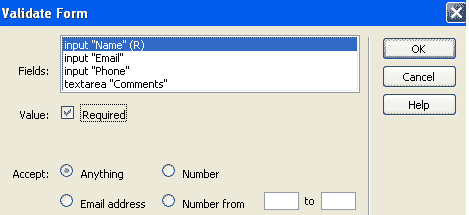
10. The window that opens up has several options. Select input "Name" from the fields box. check the Value as required. Select Anything from the accept list and click ok. This will write the javascript code to make sure someone has typed something in the Name field.
11. Select the field as input "Email". Set the value to required and accept Email address. This will insure that someone has typed in an entry containing an @ symbol in the email field. 12. Select Phone. At this time we will not set this to require, because this form would have to require it as anything. The hypens (-) in phone numbers would make it error if we set it to number. 13. Select comments. set it to Required and anything. 14. Click ok. 15. While we have not added the process script for the form yet, the form can be tested for validation. Try it out!
"Building The Web Into a Nicer Place -- One Site At A Time"
|
|
|
||||||||||
| |
|||||||||||||

|
|
||||||||||||
 |
|
||||||||||||




 Name.
Hit your enter key to paragraph.
Name.
Hit your enter key to paragraph. 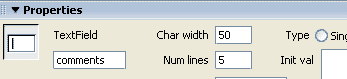 7. Type the word Comments and hold shift key and hit enter to insert a break.
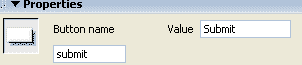 8. Click Insert => form => button. Name the button Submit.
  9. To set up validation, Select the submit button of your form.